Education & resources

Built for teams
who build seriously.

Docs, training, and long-form series live inside the Ozone customer portal. Here is what each one holds and what to expect once you are in.

Docs Training Series Support
Documentation
Portal login

Docs

Install guides, requirements, and reference docs.

Everything a technical team needs to evaluate and deploy Ozone: installation, compatibility, known limitations, and the API reference for pipeline integration.
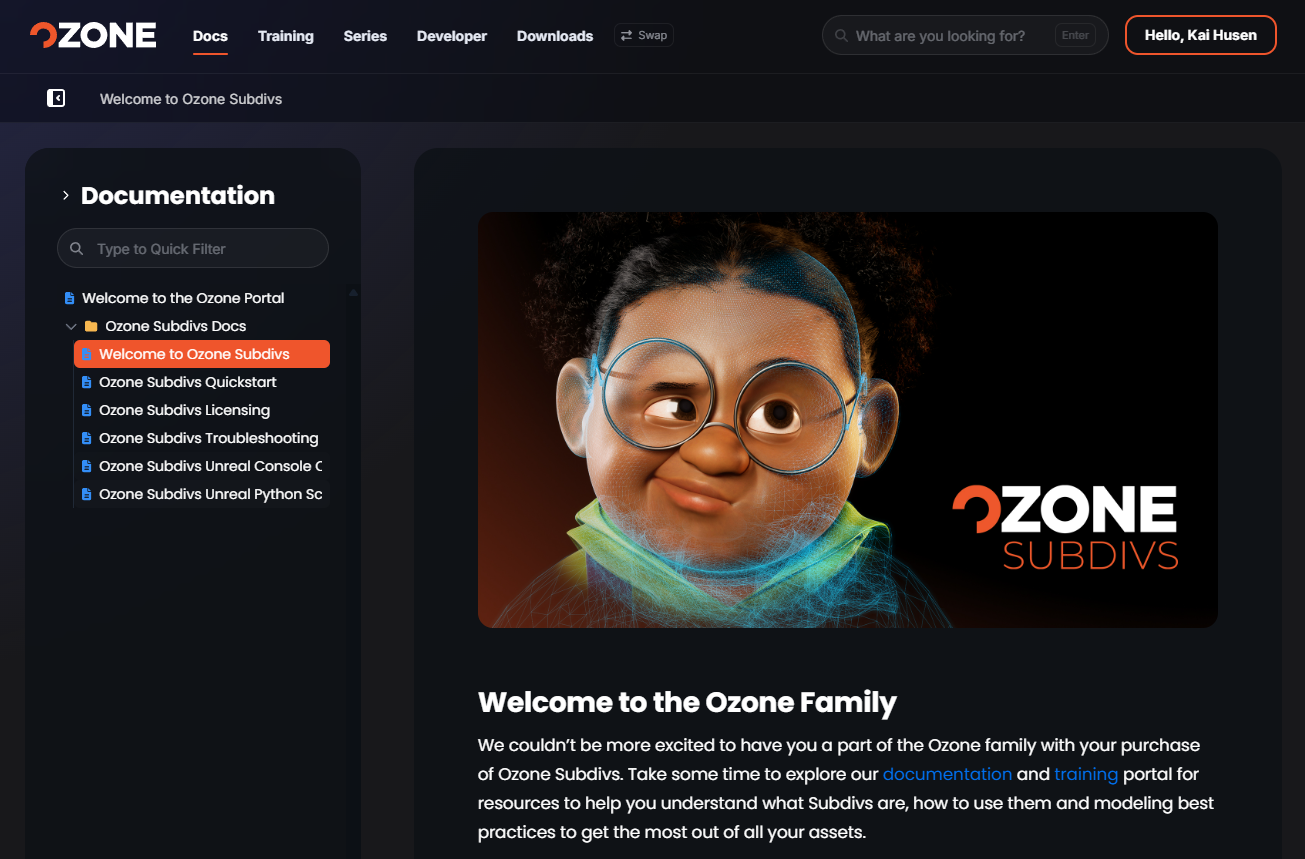
Install and requirements Step-by-step setup for Maya and Unreal Engine, with supported versions and hardware notes.
API and integration reference Python APIs, engine integration headers, and the conventions your pipeline will hook into.
Known limitations and release notes Version-controlled notes so you know exactly what changed and what to plan around.
The Ozone customer portal documentation: a sidebar of Subdivs docs beside the Welcome to the Ozone Family page.
Structured learning
Portal login

Training

Structured onboarding and production training.

Role-based tracks for riggers, technical directors, and animation leads, from first launch to production-ready workflows.
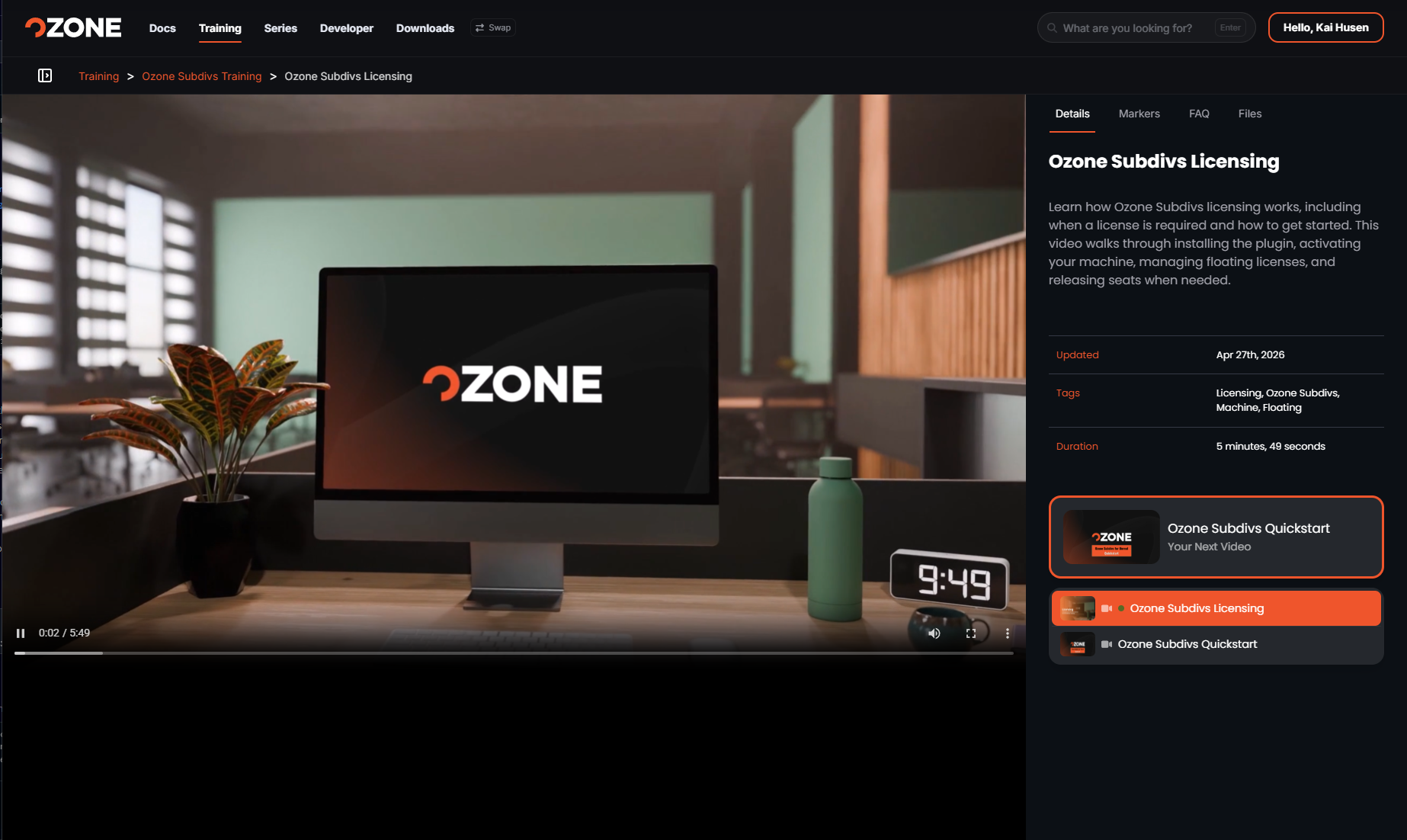
Role-based learning paths Quick starts and longer walkthroughs matched to what you do in the pipeline.
60-second micro-learning Short, focused clips that answer one question each. Watch between tasks.
Topology best practices Edge-flow, joint placement, and deformation guidance from the artists who set the standard.
The Ozone customer portal training player: an Ozone Subdivs Licensing video with details, tags, duration and the next video queued.
Long-form tracks
Portal login

Series

Long-form learning tracks for teams.

Multi-part series that take a whole team through a production workflow end to end, in the order you would actually build it.
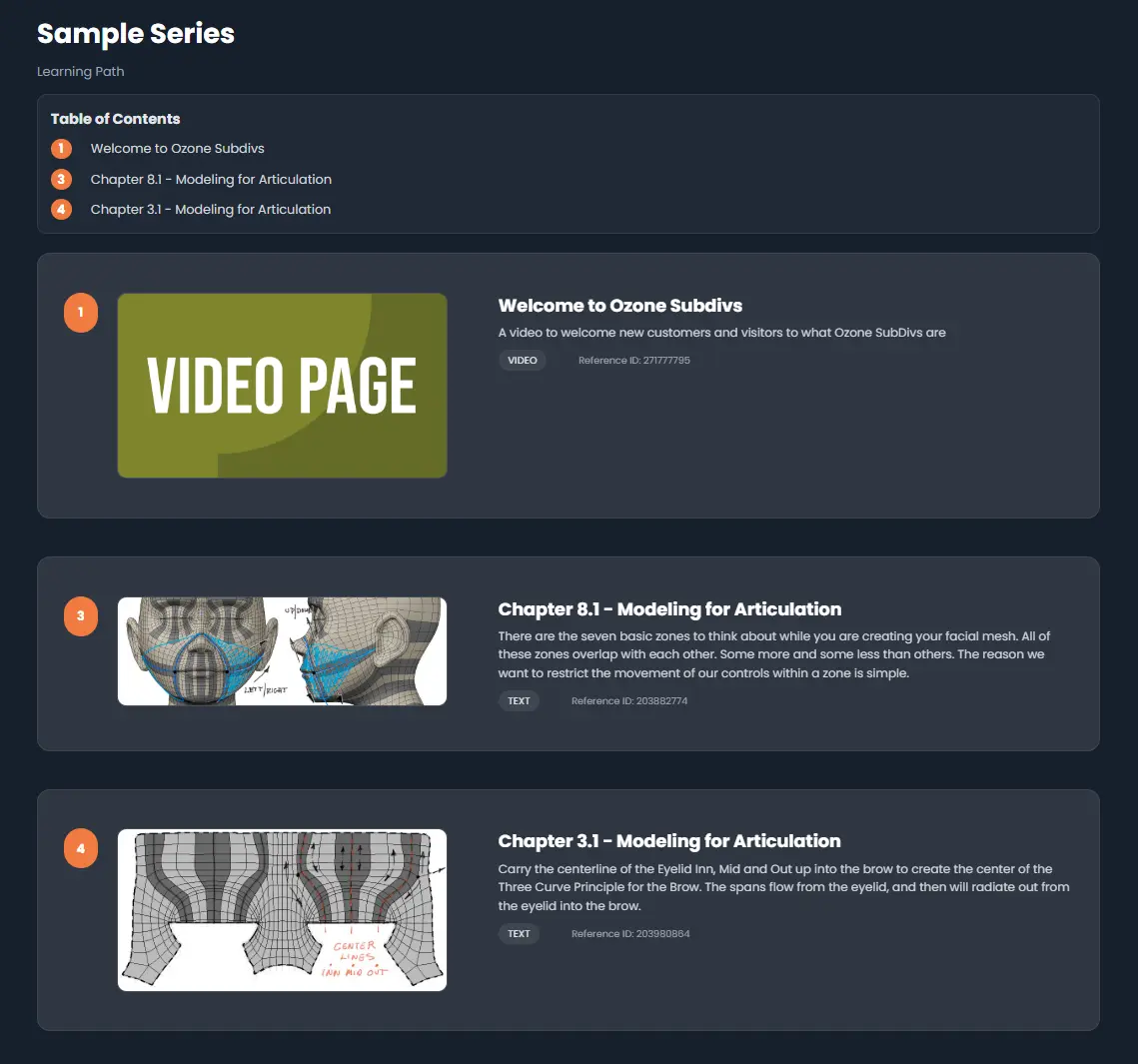
Multi-part tracks Sequenced sessions that build on each other instead of isolated tutorials.
Built for team onboarding Shared tracks so a new hire and a lead are working from the same playbook.
Real production workflows Character setup to engine handoff, demonstrated on production-grade assets.
The Ozone customer portal series view: a learning path with a table of contents and numbered video and text chapters.
Behind the login

One portal. Everything your team needs.

Licenses, builds, documentation, training, and support all sit behind a single customer portal login.

License & Entitlement Management

Accessing active site licenses, trial keys, and account seats.

Login & Access →

Build Downloads & API Documentation

Secure ingestion of compiled object code, Python APIs, and engine integration headers.

Login & Access →

Training & Self-Serve Knowledgebase

Accessing version-controlled workflows, 60-second micro-learning shorts, and topology best practices.

Login & Access →

Support & Ticket Operations

Direct submission and tracking of technical support tickets and pipeline bug reports.

Login & Access →
Customer portal

Login & Access.

Sign in to the Ozone customer portal for docs, training, series, licenses, builds, and support.